Have you ever been in a situation where your messages won’t be delivered on WhatsApp? Hour after hour, day after day. We’ve all been there and it’s not a pleasant experience, sending a message and anxiously waiting for that double blue tick to confirm it’s been read. All these could go away easily if we could just answer the question ‘How to know if someone uninstalled WhatsApp?’. You may also have other questions like figuring out if you’ve been muted or not. But first, let’s see if your contact has any account to work with in the first place. Well, fear not! In this comprehensive guide, we’re going to unravel the mysteries behind this common WhatsApp dilemma. Let’s find out how to know if someone uninstalled WhatsApp or deleted their account.
Understanding the Difference: Uninstalled App vs. Deleted Account
Before diving into the detection methods, it’s crucial to understand the distinction between the two scenarios. Uninstalling the WhatsApp application is a temporary action. The user’s account remains active on WhatsApp’s servers, and they can regain full access simply by reinstalling the app and verifying their phone number. Their chat history may be restored if they had a backup. Deleting a WhatsApp account, however, is a permanent action. It erases the account from WhatsApp’s servers, including message history, groups, and profile information. This action is irreversible. Knowing which scenario you’re dealing with helps set appropriate expectations.
How to Know if Someone Uninstalled WhatsApp
Unfortunately, WhatsApp does not provide a direct feature that notifies you when someone has uninstalled the app. In WhatsApp, you can’t figure out the answer to ‘How to know if someone deleted WhatsApp’ on your own either. You need some help to figure these questions out. However, by observing a combination of indirect signals and behavioral changes, you can make an informed inference. Here are the seven most reliable indicators.
1. No Last Seen or Online Status
If you were previously able to see their “Last Seen” or “Online” status, and now it’s not visible, it might indicate that they have uninstalled WhatsApp. The word “last seen” indicates that the user hasn’t accessed their account since the specified time and date. Their account last seen will immediately update once they are active, so consistent, prolonged absence is key. Important Caveat: This is not definitive proof. The user may have simply frozen their last seen on WhatsApp or adjusted their privacy settings to “Nobody.”
2. No Profile Picture or Status Updates
When someone uninstalls WhatsApp, their profile picture and status updates will no longer be visible to you. A blank profile photo can indicate that their WhatsApp account is no longer active on their device. However, it is still impossible to answer with certainty how to know if someone has deleted WhatsApp or uninstalled it completely with a blank profile image. A blank profile photo may also indicate that the user has deleted you from their contact list, blocked you, or hidden their profile picture from their privacy settings.
3. Messages Not Delivered or Read
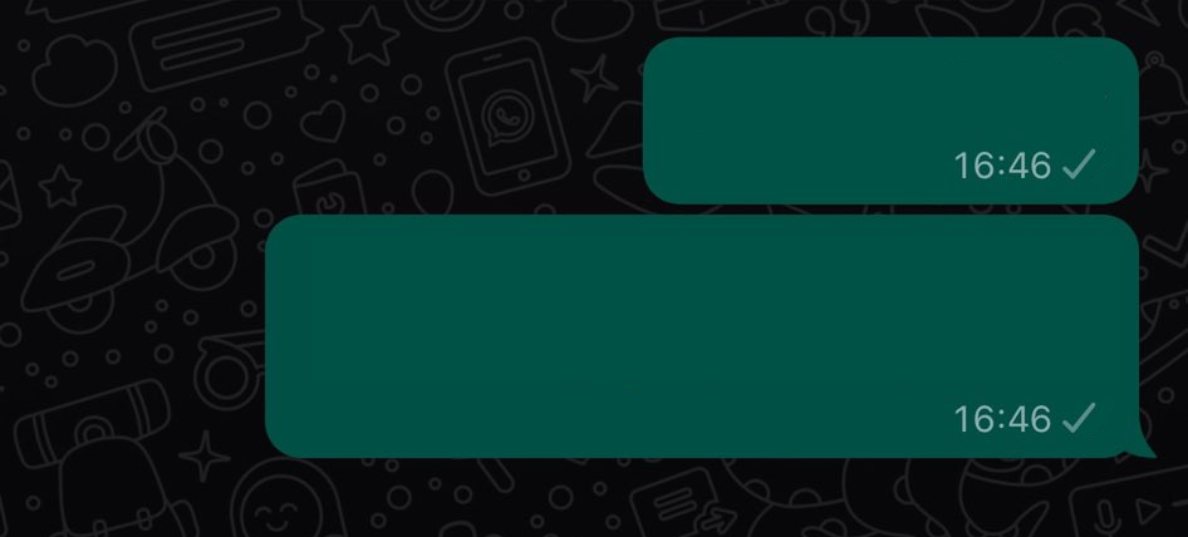
This is one of the most telling signs. If your messages to this person show a single gray tick (sent) for an extended period—think days, not hours—it suggests the app is not on their phone to receive the message. This is because if they were using WhatsApp or connected to the Internet but not reading your messages, you would see double gray ticks (message delivered but not read). Pro Tip: Rule out temporary network issues on their end by checking if your messages to other contacts are delivering normally.
4. Disappearing from Groups
If the person was part of WhatsApp groups you share, check the group participants list. If they have uninstalled the app, their name will still appear in the group, but with a key difference: you will no longer be able to view their profile picture or last seen timestamp from within the group info screen. If they have deleted their account, their name will disappear from the group members’ list entirely.
5. No Response Across Platforms
A sudden and complete cessation of communication, especially from someone who was previously responsive, can be a clue. If they were actively chatting but suddenly stopped responding for an extended period, coupled with other signs on this list, it strengthens the possibility. However, this alone is weak evidence. Always consider other life factors—they could be busy, traveling, or simply taking a digital detox. A direct call via regular cellular service can help clarify.
6. WhatsApp Calls Do Not Connect
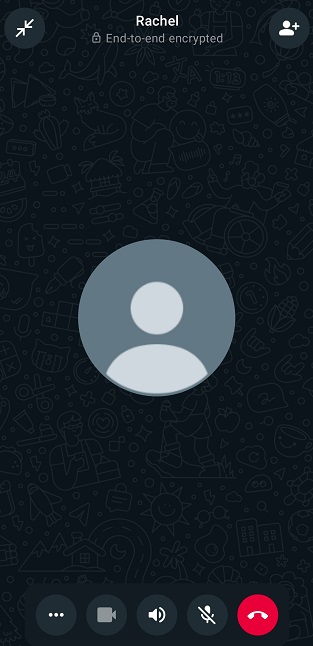
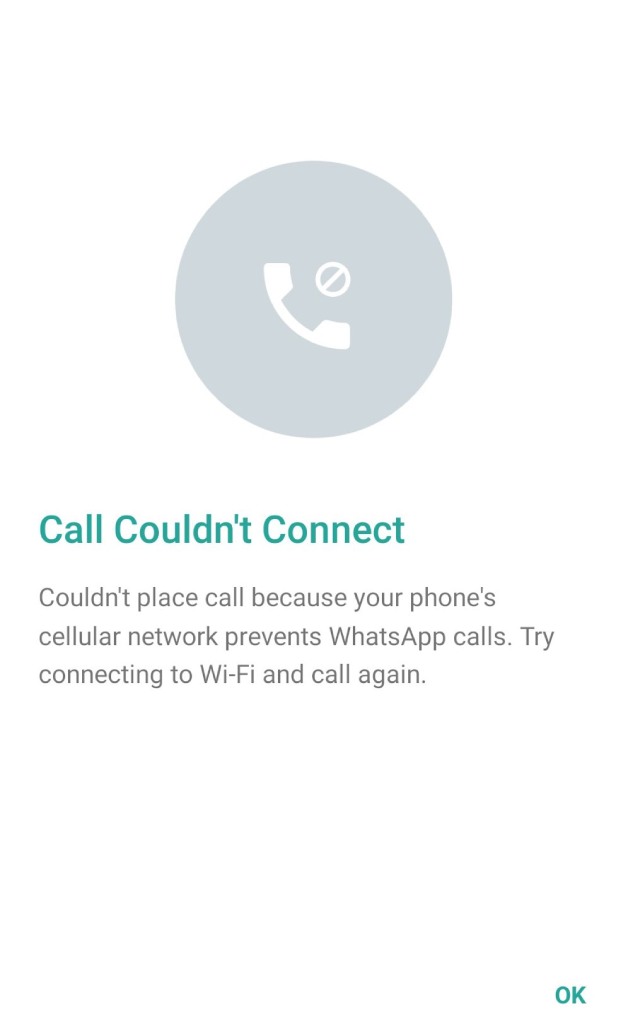
Attempt a WhatsApp voice or video call. If the call never rings and goes directly to a message saying “calling…” before failing, it often indicates the app is not installed or is not connected to the internet. In contrast, a ringing call that goes unanswered confirms the app is installed and active on their device. This is a more active test but should be used sparingly to avoid being intrusive.
7. The “Invite to WhatsApp” Button Reappears
This is a critical test. When you open a chat with a contact in WhatsApp, look at the top of the screen. If you see an “Invite to WhatsApp” button or link prominently displayed where their profile info usually is, it strongly suggests the phone number is not currently registered with an active WhatsApp account. This can happen if they uninstalled the app and their account was automatically deleted due to prolonged inactivity (typically 120 days), or if they manually deleted their account.
Important Privacy and Ethical Considerations
While curiosity is natural, it’s paramount to respect privacy. The signs above are for informational purposes. Avoid confrontation or assumptions. A person’s digital availability is their own choice. Repeatedly messaging, calling, or probing after noticing these signs can be perceived as invasive. The most reliable way to know someone’s status is through direct, respectful communication outside of WhatsApp.
How to Know if Someone Deleted Their WhatsApp Account
Account deletion is a more definitive action than a simple uninstall. The signs are similar but more absolute. If someone deletes their account:
- Profile Vanishes Completely: Their name in your chat list will no longer show as a WhatsApp contact. It may appear as a plain phone number, and all profile data (picture, about info) is gone.
- Permanent Single Tick: Messages will perpetually show one gray tick (sent), never two (delivered).
- Automatic Removal from Groups: As mentioned, they are automatically removed from all WhatsApp groups, and group admins are notified.
- “Invite to WhatsApp” is Visible: As with an uninstalled app after account deletion, you will see the invitation prompt.
The 120-Day Rule: WhatsApp’s Inactive Account Policy
WhatsApp has a clear policy that blurs the line between uninstall and delete. If a user uninstalls WhatsApp but does not manually delete their account, the account is automatically deleted after 120 days of inactivity. This is a crucial piece of information. The “signs” you see may initially point to an uninstall, but after four months, they effectively point to a deleted account. This policy is designed to free up unused phone numbers on the platform.
Troubleshooting: Rule Out Other Possibilities
Before concluding someone has left WhatsApp, systematically rule out other common possibilities:
- You’ve Been Blocked: Being blocked shares several symptoms (single ticks, no last seen, no profile updates). It is often indistinguishable from an uninstall without using other methods like the group check.
- Network or Phone Issues: The person may have changed numbers, lost their phone, be in an area with no service, or have a broken device.
- Privacy Settings: They may have maximized their privacy settings, hiding last seen, profile photo, and even their online status from everyone.
- App-Specific Problems: Glitches, failed updates, or switching to a different messaging app can cause similar temporary inactivity.
Conclusion and Final Recommendations
Determining whether someone has uninstalled WhatsApp or deleted their account involves piecing together contextual clues—profile visibility, message ticks, group presence, and call connectivity. No single sign is foolproof, but a combination of several, especially over a long period, paints a clearer picture. The most definitive public signal is the reappearance of the “Invite to WhatsApp” button.
Ultimately, while technology offers these observational tools, human communication remains the most respectful and accurate method. If you’re concerned about a friend or family member’s sudden disappearance from WhatsApp, consider reaching out through a traditional call or text message. They may simply need a break, or there might be a practical explanation. Use this knowledge responsibly, and always prioritize respect for others’ digital boundaries and privacy choices.
✨ Enhanced Content ✨
Have you ever been in a situation where your messages won’t be delivered on WhatsApp? Hour after hour, day after day. We’ve all been there and it’s not a pleasant experience, sending a message and anxiously waiting for that double blue tick to confirm it’s been read, All these could go away easily if we could just answer the question ‘How to know if someone uninstalled WhatsApp?’.
You may also have other questions like figuring out if you’ve been muted or not. But first, let’s see if your contact has any account to work with in the first place. Well, fear not! In this blog, we’re going to unravel the mysteries behind this common WhatsApp dilemma.
Let’s find out how to know if someone uninstalled WhatsApp or deleted their account.
How to Know if Someone Uninstalled WhatsApp
Unfortunately, WhatsApp does not provide a direct feature that notifies you when someone has uninstalled the app. In WhatsApp, you can’t figure out the answer to ‘How to know if someone deleted WhatsApp’ on your own either. You need some help to figure these questions out. However, there are some indirect ways you can infer whether someone has uninstalled WhatsApp or simply stopped using it:
1. No Last Seen or Online Status
If you were previously able to see their “Last Seen” or “Online” status, and now it’s not visible, it might indicate that they have uninstalled WhatsApp or disabled these settings.
The word “last seen” indicates that the user hasn’t accessed their account since the specified time and date. Their account last seen will immediately update once they are active, so keep checking. This may be the easiest answer for how to know if WhatsApp is uninstalled or not.
Just keep in mind that this might be on their part and they have frozen their last seen on WhatsApp.
2. No Profile Picture or Status Updates
When someone uninstalled WhatsApp, their profile picture and status updates will no longer be visible to you. No profile picture can indicate that their WhatsApp account has been deactivated. All of a user’s data, including their profile picture, status, and more, will automatically vanish when they terminate their WhatsApp account.

However, it is still impossible to answer with certainty how to know if someone has deleted WhatsApp or uninstalled it completely with a blank profile image. A blank profile photo may also indicate that the user has deleted you from their contact list or hidden their profile picture.
3. Messages Not Delivered or Read
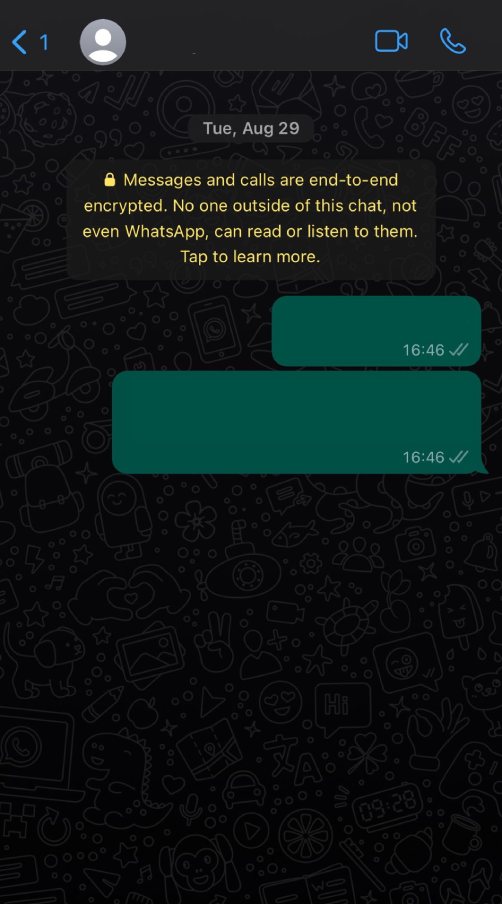
Another approach for how to know if someone uninstalled WhatsApp is checking your message delivery. If your messages to this person have been sent but not delivered (indicated by a single gray tick) for an extended period of time, it could mean they are no longer using WhatsApp.
This is because if they were using WhatsApp or connected to the Internet but not reading your messages, you would see double gray ticks (message delivered but not read).
4. Disappearing from Groups
If you have questions like ‘How do I know if someone uninstalled WhatsApp?’ one of the ways to answer that is to check your shared groups in WhatsApp. If the person was part of WhatsApp groups, their name may disappear from the group members’ list if they uninstall the app. This may be sad for them as well because they won’t see any of your group’s best WhatsApp memes anymore.
5. No Response
If they were actively chatting with you but suddenly stopped responding for an extended period of time, it could suggest they have uninstalled WhatsApp. However, this could also be due to other reasons, such as being busy or having turned off notifications. In this case, it is probably a good idea to call your friend to see if everything is ok with them.
6. Try WhatsApp Call
If you call them on WhatsApp, and it never rings or goes directly to voicemail, it could indicate that they are not using WhatsApp. The reason is that if they were active and were connected to the Internet, you would hear ringing and the status also would indicate ringing.
7. Check If You Can Invite the Contact
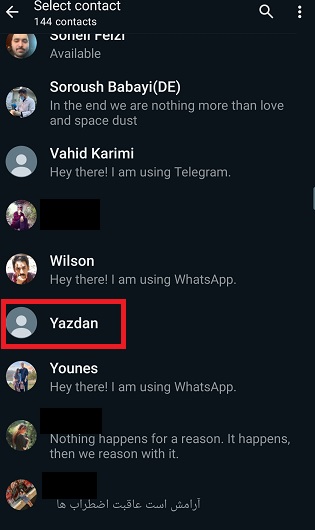
As you probably know, we have the ability to invite contacts who do not already use WhatsApp. This function helps to answer how to know if someone uninstalled deleted their WhatsApp account in a convenient way. Make sure to have your contact number on your device. Find the contact on WhatsApp. The contact does not have a WhatsApp account if the invite option is displayed before the contact name.

It’s important to note that these signs are not definitive proof that someone has uninstalled WhatsApp. There could be various reasons why someone’s activity on WhatsApp changes, and it’s possible they are still using the app but have altered their settings or need to take a break from social interaction a little.
Respecting their privacy is important, so avoid making assumptions or repeatedly attempting to contact them if they seem to be inactive.
How to Know if Someone Deleted Whatsapp Account
In case you are wondering how to know if someone deleted WhatsApp, there are some signs that may suggest they’ve taken this action:
- Profile Disappears: Their profile picture and status will disappear from your WhatsApp contact list.
- Messages Show as Sent, Not Delivered: When you send a message to someone who has deleted their WhatsApp account, your messages may show as “Sent” with a single gray tick but not as “Delivered” with double gray ticks.
- Calls Do Not Connect: When you attempt to call them, the call may not go through, or it may immediately go to voicemail.
- Disappears from Groups: If the person was part of WhatsApp groups, their name will disappear from the group members’ list.
- Unable to See Their “Last Seen” or “Online” Status: You won’t be able to see their “Last Seen” or “Online” status in your chat with them.

- No Profile Information: Their name, About, and other profile information will be blank or unavailable.
However, it’s essential to consider other factors that might explain these signs, such as network issues, changes in WhatsApp privacy settings, or them simply not using WhatsApp actively. People can temporarily deactivate or delete their WhatsApp account and reactivate it later, which can also cause some of these signs to fluctuate. In any ways, We tried to provide ways for you to be able to answer how to tell if someone deleted their Instagram.
FAQs
Now let’s answer some frequently asked questions on how to know if someone uninstalled WhatsApp:
1. On WhatsApp, How to Know if Someone Blocked Me, Uninstalled the App, or Deleted her Account?
Blocked: You can’t see their profile, last seen, or receive messages. Calls won’t connect.
Uninstalled: Messages won’t deliver, but you can still see their profile.
Deleted Account: Similar to uninstalled, the profile vanishes, and messages won’t deliver.
These are all answers to the question ‘if I delete WhatsApp what happens’ as well and your friends and family can figure it out.
2. If Someone Uninstalled WhatsApp, Will Messages Still Deliver?
No, Messages won’t be delivered if someone uninstalled WhatsApp.
3. How to Check if WhatsApp Account is Active?
You can’t directly check if a WhatsApp account is active. All you can do is use the methods mentioned above to check if they have uninstalled their WhatsApp or not.
4. How Do I Know Someone Has Uninstalled WhatsApp?
You can’t be sure if someone uninstalled WhatsApp; However, there are some signs such as messages won’t deliver, and their profile info won’t show that help you find out if someone uninstalled their WhatsApp or not.
5. What Happens When Someone Uninstalls WhatsApp?
When someone uninstalls WhatsApp, messages won’t deliver, and profile info disappears.
6. Can People See Me if I Uninstall WhatsApp?
No, others can’t see you on WhatsApp if you uninstall it. Your information such as profile pictures and status will be hidden from everyone while the app remains uninstalled.
7. Will My Message be Delivered if I Uninstall WhatsApp?
No. Messages won’t be delivered if you uninstall WhatsApp.
8. Will My Contacts Know if I Uninstall WhatsApp?
No. Your contacts will not receive a notification if you uninstall WhatsApp from your device. But they can find out by themselves using methods such as those that we mentioned here.
Final Thoughts
We hope that we have provided you with enough information on how to know if someone uninstalled WhatsApp. In conclusion, while WhatsApp won’t notify you directly when someone uninstalls the app, there are subtle signs to watch for, such as disappearing profile information and undelivered messages.
Privacy and personal choices play a significant role in these situations, so it’s essential to respect others’ decisions. As technology continues to shape our communication, understanding these nuances can help us navigate the digital world more gracefully. Stay curious, stay connected, and keep the conversation alive, both online and offline.
[elementor-template id="24702"]