What Is the Instagram DM Character Limit in 2024? The Definitive Guide
Have you ever been in the flow of crafting a thoughtful Instagram Direct Message, only to be abruptly halted by the infamous “Message is too long” notification? This common friction point underscores a fundamental aspect of Instagram’s platform design: the Direct Message (DM) character limit. While intended to foster clear and concise communication, understanding this boundary is crucial for anyone using Instagram for personal connection, customer service, or community building. In this comprehensive 2024 guide, we will dissect the Instagram DM character limit, explore its implications, and provide you with actionable strategies to communicate effectively within its constraints. Let’s dive into the specifics to ensure your messages are always delivered as intended.
The Official Instagram DM Character Limit
If you’re seeking a straightforward answer, here it is: the character limit for Instagram Direct Messages is 1.000 caracteres. This count includes every letter, number, symbol, space, and emoji you type into the message composition field. Exceeding this limit will trigger an error, preventing you from sending the message until you edit it down to size.
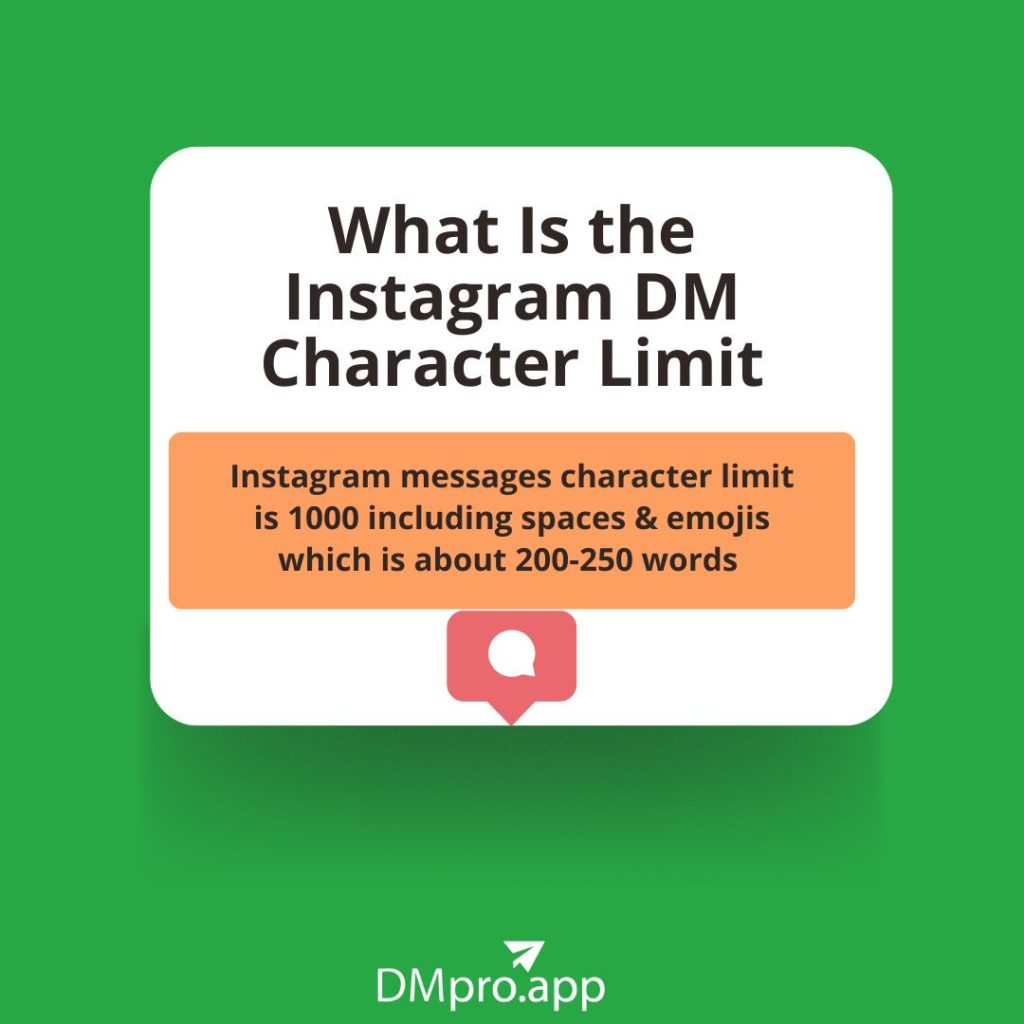
Visualizing the 1,000 Character Boundary
A Critical Platform Distinction: Mobile App vs. Desktop
An essential and often misunderstood detail is that this 1,000-character limit is primarily enforced on the Instagram mobile application. Testing has shown that the Instagram desktop website (accessed via a browser) may not always enforce this limit strictly, sometimes allowing significantly longer messages to be sent. However, relying on this desktop workaround is not recommended for several reasons:
- Inconsistent Experience: The recipient viewing the message on their mobile app may encounter formatting issues or truncated text.
- Not Officially Supported: This behavior could change at any time with a platform update, potentially breaking your communication workflow.
- Best Practice: For reliable, predictable delivery across all devices, adhering to the 1,000-character mobile limit is the professional standard.
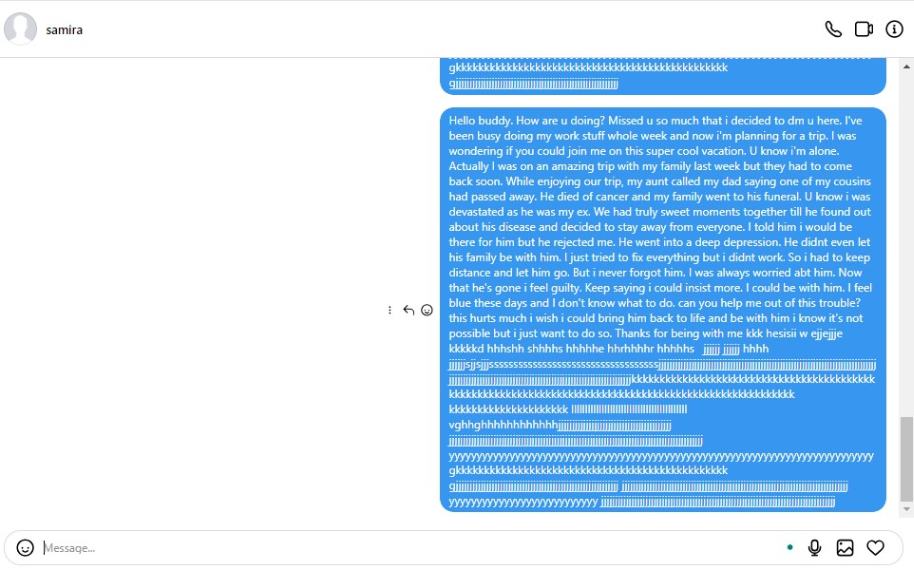
The Desktop Experience May Differ
Why Instagram Enforces a DM Character Limit
Platform limits are rarely arbitrary. Instagram’s 1,000-character cap for DMs is a deliberate design choice that serves multiple strategic purposes for both the user experience and the platform’s ecosystem.
- Promotes Clarity and Conciseness: In an age of information overload, brevity is valuable. The limit encourages users to distill their thoughts to the essentials, leading to clearer, more impactful communication that is easier for recipients to read and understand quickly.
- Enhances User Experience and Engagement: Long, dense blocks of text can be daunting to read on a mobile screen. By keeping messages digestible, Instagram helps maintain a positive, low-friction messaging environment that encourages ongoing conversation rather than overwhelming the participant.
- Mitigates Spam and Abuse: Character limits are a frontline defense against spam bots and malicious users who might otherwise flood inboxes with massive volumes of unwanted text. This helps maintain the integrity and safety of the DM platform.
- Ensures Platform Performance: Limiting message size helps ensure the app runs smoothly, messages load quickly, and data storage requirements are managed efficiently across billions of users.
- Creates a Level Playing Field: The limit applies equally to all users, from individuals to global brands. This standardization ensures no single party can dominate a conversation with excessively long monologues, fostering more balanced and reciprocal interactions.
Practical Implications: From Characters to Words
While the character limit is fixed, its translation into a word count is more flexible. The number of words you can fit into 1,000 characters depends entirely on the length of the words you use.
- General Estimate: A safe average estimate is 150-200 words per Instagram DM.
- Detailed Explanation: If your writing uses longer, more complex words (e.g., “communication,” “engagement”), your word count will be lower.
- Concise Messaging: If you use many short words and abbreviations, you might fit closer to 250 words.
The key takeaway is to focus on the character count as your primary metric, using word count only as a rough guideline during your initial drafting phase.
Pro Strategies for Mastering the 1,000-Character Limit
Working within a limit doesn’t have to mean sacrificing your message’s quality or intent. Here are professional strategies to maximize your impact within 1,000 characters.
1. The Art of Editing and Concision
Before you send, edit ruthlessly. Scrutinize every sentence for unnecessary words. Replace lengthy phrases with concise alternatives (e.g., use “to” instead of “in order to”). Ensure every word serves a purpose and moves your message forward.
2. Strategic Message Sequencing
If your message naturally exceeds the limit, don’t force a single, cramped text. Break it into a logical sequence of two or three separate messages. This can actually improve readability and give the recipient natural pause points. A simple “Part 1/2” preface can manage expectations.
3. Leverage Multimedia and Links
Instagram DMs support photos, videos, voice notes, and links. If you’re describing something complex, a quick video explanation or an image diagram can convey more than a thousand characters ever could. For extensive information, consider drafting the content in a note app or blog post and sharing the link in your DM.
4. Utilize Clear Formatting
Within a DM, you can use simple formatting to enhance readability:
Line Breaks: Use them to separate ideas into distinct paragraphs.
Emojis: A single, relevant emoji can sometimes replace several words of emotional or contextual framing.
Avoid: Overusing emojis or symbols, as they count toward your character limit and can reduce professionalism.
Frequently Asked Questions (FAQs) on Instagram DM Limits
1. Is there a character limit on Instagram Direct Messages?
Sí. The limit is 1,000 characters per individual message in the mobile app.
2. Does the character limit include emojis and spaces?
Absolutely. Every element you type—letters, numbers, punctuation, spaces, and emojis—counts as one or more characters toward the 1,000 total.
3. Can I exceed the Instagram DM character limit?
No. The mobile app will prevent you from sending a message that exceeds 1,000 characters. You must edit it down to comply.
4. What happens if I reach the character limit?
You will see a “Message is too long” error. You will need to shorten your message or split it into multiple parts to proceed.
5. How do I increase the text limit on Instagram?
Usted no puede increase the limit. It is a fixed platform constraint. Your strategy should focus on adapting your communication style to work effectively within it.
6. Is there a different limit for Instagram Stories or captions?
Yes. Instagram has separate limits for different features:
- Story Text: Practically unlimited for overlaid text, but readability is key.
- Photo/Video Captions: 2,200 characters.
- Bio: 150 characters.
- Comments: Approximately 1,000 characters (subject to change).
Always check Instagram’s official help pages for the most current specifications.
Conclusion: Communicating with Confidence on Instagram
Mastering the Instagram DM character limit is less about working around a restriction and more about embracing a philosophy of effective digital communication. The 1,000-character boundary encourages precision, clarity, and respect for your recipient’s time and attention. By understanding the limit’s technical details—its application on mobile versus desktop, its inclusive count of all characters, and its purpose within the platform’s ecosystem—you equip yourself to craft messages that are not only deliverable but also impactful.
Incorporate the strategies of concise editing, strategic sequencing, and multimedia support to elevate your DM conversations. Whether you’re networking, providing customer support, or keeping in touch with friends, a clear and considered message within the limit will always outperform a rambling one that strains against it. Use this knowledge to engage your audience more effectively and build stronger connections, one well-crafted message at a time.
Ready to optimize your entire Instagram strategy? Explore our guides on managing spam messages y boosting engagement to further enhance your presence on the platform.
✨ Enhanced Content ✨
¿Alguna vez te has visto atrapado por el límite de caracteres de los DM de Instagram? Imagina que compartes una historia emocionante con un amigo y, de repente, aparece este frustrante mensaje en la pantalla: “El mensaje es demasiado largo”.
Este Límite de DM de Instagram está ahí para garantizarte una comunicación más fluida en Instagram. Pero, ¿quieres evitarlo? Se pregunta ¿Cuánto puede durar un mensaje de Instagram? En este blog, exploraremos el número máximo de caracteres para los mensajes de Instagram. ¡Vamos a empezar!
¿Qué es el ¿Límite de caracteres en los DM de Instagram?
Si te preguntas cuál es el límite de caracteres de los mensajes directos (DM) de Instagram, ¡vamos a descubrirlo!
Longitud máxima del mensaje de Instagram
Límite de caracteres de los mensajes de Instagram es 1000 caracteres (como hemos probado). Eso significa que tiene hasta 1000 caracteres para elaborar tu mensaje, conectar con los demás y compartir tus pensamientos a través de los mensajes de texto. Si sobrepasas este límite de caracteres, verás el error “el mensaje es demasiado largo”.
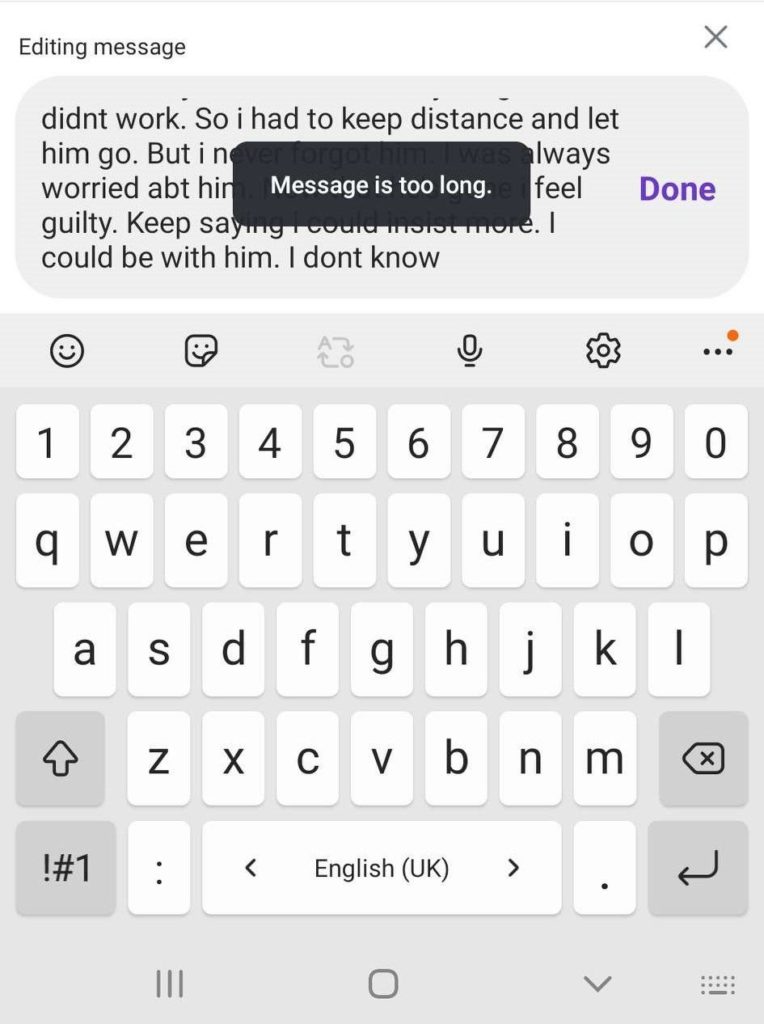
El mensaje es demasiado largo en Instagram
Nota: El límite de caracteres de Instagram DM sólo funciona en la aplicación de Instagram. Hemos intentado enviar un mensaje largo (más de 2.000 caracteres) en el escritorio de Instagram y no nos ha dado ningún error.
Límite de caracteres de los mensajes de Instagram en PC
Es importante tener en cuenta que este límite de caracteres se aplica específicamente a los mensajes directos de Instagram. Por lo tanto, cuando mantengas una conversación en los mensajes directos, no pierdas de vista el recuento de caracteres para asegurarte de no superar el límite de 1000 caracteres. límite.
Recuerde, mantenerse dentro del límite de caracteres Instagram DM ayuda a garantizar que tus mensajes sean fácilmente legibles y comprensibles para el destinatario. Así que aproveche 1000 caracteres para expresarse y aumentar la participación en Instagram.
Lea también: Mensajes spam de Instagram
¿Por qué Instagram tiene un límite de caracteres para los mensajes de texto?
Puede que tengas curiosidad por saber por qué Instagram ha implementado un límite de caracteres para los Mensajes Directos (DMs). ¡Vamos a arrojar algo de luz sobre las razones detrás de él! De hecho, el DM de Instagram sirve para varios propósitos importantes. Explorémoslos:
- En primer lugar, promueve una comunicación eficiente y concisa. Al establecer un límite de caracteres, Instagram anima a los usuarios a transmitir sus mensajes de forma clara y centrada.
- Tener un límite de caracteres también ayuda a evitar que los mensajes largos dificulten la lectura y la comprensión. Al mantener los mensajes con una longitud razonable, Instagram quiere que las conversaciones sean más amenas para todos.
- Además, el límite de caracteres garantiza que los mensajes no sean demasiado abrumadores o spam. Anima a los usuarios a compartir sus pensamientos y mantener conversaciones sin que se conviertan en algo excesivo.
- Al establecer un límite de caracteres para los DM, Instagram crea igualdad de condiciones para todos los usuarios. Garantiza que todos tengan las mismas oportunidades de expresarse sin monopolizar la conversación o dominar el espacio con mensajes largos.
Así pues, el límite de caracteres para los Mensajes Directos en Instagram sirve para promover comunicación eficaz con los clientes, mejorar la experiencia del usuario y fomentar interacciones equilibradas entre los usuarios.
Conclusión
Para terminar, Comprender el límite de caracteres de los DM de Instagram es esencial para una comunicación y un compromiso efectivos. Si respetas el límite de 1000 caracteres, te asegurarás de que tus mensajes lleguen sin restricciones y maximizarás las posibilidades de alcanzar a tu audiencia.
Preguntas frecuentes sobre el límite de caracteres de los DM de Instagram
Aquí puedes encontrar algunas preguntas frecuentes sobre el límite de longitud de los mensajes de Instagram.
1. Hay un límite de caracteres en los mensajes directos de Instagram?
Sí, el carácter límite del mensaje de Instagram es 1000 personajes.
2. ¿Cuál es el límite de caracteres? en Instagram?
El límite de caracteres para los mensajes directos de Instagram es actualmente 1,000 caracteres incluidos los espacios.
3. ¿Puedo superar el límite de Instagram? ¿Límite de caracteres DM?
No, no puedes superar el límite de caracteres en los mensajes directos de Instagram. Tendrás que mantener tus mensajes dentro del límite especificado.
4. El límite de caracteres, ¿incluye emojis y espacios?
Sí, el límite de caracteres incluye emojis, espacios y todos los caracteres que escribas en tu mensaje.
5. Por qué hay un límite de caracteres en los mensajes directos de Instagram?
El límite de caracteres está pensado para fomentar una comunicación concisa y eficaz, garantizando que los mensajes sean claros y directos.
6. ¿Qué ocurre si alcanzo ¿El límite de caracteres de los mensajes de Instagram?
Si alcanza el límite de caracteres, te encontrarás con “El mensaje es demasiado largo” y tendrás que dividirlo en varios mensajes. Considere la posibilidad de eliminar palabras innecesarias o de reformular su mensaje para ajustarlo al límite.
7. ¿Cuántas palabras puedes enviar en un mensaje de Instagram?
¿Te preguntas cuál es el límite de palabras en los mensajes de Instagram? No existe un límite exacto de palabras en los mensajes de Instagram. Sin embargo, teniendo en cuenta el límite de caracteres de 1000, y dependiendo de la longitud de su palabra, podría ser de alrededor de. 200-250 palabras.
8. Cómo aumentar el límite de texto en Instagram?
Lamentablemente, no es posible aumentar el límite de texto para Instagram.
[elementor-template id="24702"]