
Have you ever been in a situation where your messages won’t be delivered on WhatsApp? Hour after hour, day after day. We’ve all been there and it’s not a pleasant experience, sending a message and anxiously waiting for that double blue tick to confirm it’s been read. All these could go away easily if we could just answer the question ‘How to know if someone uninstalled WhatsApp?’. You may also have other questions like averiguar si te han silenciado o no. But first, let’s see if your contact has any account to work with in the first place. Well, fear not! In this comprehensive guide, we’re going to unravel the mysteries behind this common WhatsApp dilemma. Let’s find out how to know if someone uninstalled WhatsApp or deleted their account.
Understanding the Difference: Uninstalled App vs. Deleted Account
Before diving into the detection methods, it’s crucial to understand the distinction between the two scenarios. Uninstalling the WhatsApp application is a temporary action. The user’s account remains active on WhatsApp’s servers, and they can regain full access simply by reinstalling the app and verifying their phone number. Their chat history may be restored if they had a backup. Deleting a WhatsApp account, however, is a permanent action. It erases the account from WhatsApp’s servers, including message history, groups, and profile information. This action is irreversible. Knowing which scenario you’re dealing with helps set appropriate expectations.
Cómo saber si alguien ha desinstalado WhatsApp
Unfortunately, WhatsApp does not provide a direct feature that notifies you when someone has uninstalled the app. In WhatsApp, you can’t figure out the answer to ‘How to know if someone deleted WhatsApp’ on your own either. You need some help to figure these questions out. However, by observing a combination of indirect signals and behavioral changes, you can make an informed inference. Here are the seven most reliable indicators.
1. Sin última visita o estado en línea
If you were previously able to see their “Last Seen” or “Online” status, and now it’s not visible, it might indicate that they have uninstalled WhatsApp. The word “last seen” indicates that the user hasn’t accessed their account since the specified time and date. Their account last seen will immediately update once they are active, so consistent, prolonged absence is key. Important Caveat: This is not definitive proof. The user may have simply congelaron su último visto en WhatsApp or adjusted their privacy settings to “Nobody.”
2. Sin foto de perfil ni actualizaciones de estado
When someone uninstalls WhatsApp, their profile picture and status updates will no longer be visible to you. A blank profile photo can indicate that their WhatsApp account is no longer active on their device. However, it is still impossible to answer with certainty how to know if someone has deleted WhatsApp or uninstalled it completely with a blank profile image. A blank profile photo may also indicate that the user has deleted you from their contact list, blocked you, or hidden their profile picture from their privacy settings.
3. Mensajes no entregados o no leídos
This is one of the most telling signs. If your messages to this person show a single gray tick (sent) for an extended period—think days, not hours—it suggests the app is not on their phone to receive the message. This is because if they were using WhatsApp or connected to the Internet but not reading your messages, you would see double gray ticks (message delivered but not read). Consejo profesional: Rule out temporary network issues on their end by checking if your messages to other contacts are delivering normally.
4. Desaparición de los grupos
If the person was part of WhatsApp groups you share, check the group participants list. If they have uninstalled the app, their name will still appear in the group, but with a key difference: you will no longer be able to view their profile picture or last seen timestamp from within the group info screen. If they have deleted their account, their name will disappear from the group members’ list entirely.
5. No Response Across Platforms
A sudden and complete cessation of communication, especially from someone who was previously responsive, can be a clue. If they were actively chatting but suddenly stopped responding for an extended period, coupled with other signs on this list, it strengthens the possibility. However, this alone is weak evidence. Always consider other life factors—they could be busy, traveling, or simply taking a digital detox. A direct call via regular cellular service can help clarify.
6. WhatsApp Calls Do Not Connect
Attempt a WhatsApp voice or video call. If the call never rings and goes directly to a message saying “calling…” before failing, it often indicates the app is not installed or is not connected to the internet. In contrast, a ringing call that goes unanswered confirms the app is installed and active on their device. This is a more active test but should be used sparingly to avoid being intrusive.
7. The “Invite to WhatsApp” Button Reappears
This is a critical test. When you open a chat with a contact in WhatsApp, look at the top of the screen. If you see an “Invite to WhatsApp” button or link prominently displayed where their profile info usually is, it strongly suggests the phone number is not currently registered with an active WhatsApp account. This can happen if they uninstalled the app y their account was automatically deleted due to prolonged inactivity (typically 120 days), or if they manually deleted their account.
Important Privacy and Ethical Considerations
While curiosity is natural, it’s paramount to respect privacy. The signs above are for informational purposes. Avoid confrontation or assumptions. A person’s digital availability is their own choice. Repeatedly messaging, calling, or probing after noticing these signs can be perceived as invasive. The most reliable way to know someone’s status is through direct, respectful communication outside of WhatsApp.
How to Know if Someone Deleted Their WhatsApp Account
Account deletion is a more definitive action than a simple uninstall. The signs are similar but more absolute. If someone deletes their account:
- Profile Vanishes Completely: Their name in your chat list will no longer show as a WhatsApp contact. It may appear as a plain phone number, and all profile data (picture, about info) is gone.
- Permanent Single Tick: Messages will perpetually show one gray tick (sent), never two (delivered).
- Automatic Removal from Groups: As mentioned, they are automatically removed from all WhatsApp groups, and group admins are notified.
- “Invite to WhatsApp” is Visible: As with an uninstalled app after account deletion, you will see the invitation prompt.
The 120-Day Rule: WhatsApp’s Inactive Account Policy
WhatsApp has a clear policy that blurs the line between uninstall and delete. If a user uninstalls WhatsApp but does not manually delete their account, the account is automatically deleted after 120 days of inactivity. This is a crucial piece of information. The “signs” you see may initially point to an uninstall, but after four months, they effectively point to a deleted account. This policy is designed to free up unused phone numbers on the platform.
Troubleshooting: Rule Out Other Possibilities
Before concluding someone has left WhatsApp, systematically rule out other common possibilities:
- You’ve Been Blocked: Being blocked shares several symptoms (single ticks, no last seen, no profile updates). It is often indistinguishable from an uninstall without using other methods like the group check.
- Network or Phone Issues: The person may have changed numbers, lost their phone, be in an area with no service, or have a broken device.
- Privacy Settings: They may have maximized their privacy settings, hiding last seen, profile photo, and even their online status from everyone.
- App-Specific Problems: Glitches, failed updates, or switching to a different messaging app can cause similar temporary inactivity.
Conclusion and Final Recommendations
Determining whether someone has uninstalled WhatsApp or deleted their account involves piecing together contextual clues—profile visibility, message ticks, group presence, and call connectivity. No single sign is foolproof, but a combination of several, especially over a long period, paints a clearer picture. The most definitive public signal is the reappearance of the “Invite to WhatsApp” button.
Ultimately, while technology offers these observational tools, human communication remains the most respectful and accurate method. If you’re concerned about a friend or family member’s sudden disappearance from WhatsApp, consider reaching out through a traditional call or text message. They may simply need a break, or there might be a practical explanation. Use this knowledge responsibly, and always prioritize respect for others’ digital boundaries and privacy choices.
✨ Enhanced Content ✨
¿Te has encontrado alguna vez en una situación en la que tus mensajes no se entregan en WhatsApp? Hora tras hora, día tras día. Todos hemos estado allí y no es una experiencia agradable, enviar un mensaje y esperar ansiosamente ese doble tick azul para confirmar que ha sido leído, Todo esto podría desaparecer fácilmente si pudiéramos responder a la pregunta ‘¿Cómo saber si alguien ha desinstalado WhatsApp?’.
También puede tener otras preguntas como averiguar si te han silenciado o no. Pero primero, veamos si tu contacto tiene alguna cuenta con la que trabajar. Pues bien, ¡no temas! En este blog, vamos a desentrañar los misterios que se esconden detrás de este dilema tan común de WhatsApp.
Averigüemos cómo saber si alguien WhatsApp desinstalado o suprimido su cuenta.
Cómo saber si alguien ha desinstalado WhatsApp
Desafortunadamente, WhatsApp no proporciona una función directa que te notifique cuando alguien ha desinstalado la app. En WhatsApp, tampoco puedes averiguar por ti mismo la respuesta a ‘Cómo saber si alguien ha borrado WhatsApp’. Necesitas ayuda para resolver estas preguntas. Sin embargo, hay algunas formas indirectas de deducir si alguien ha desinstalado WhatsApp o simplemente ha dejado de usarlo:
1. Sin última visita o estado en línea
Si antes podías ver su estado “Visto por última vez” o “En línea” y ahora no está visible, podría indicar que han desinstalado WhatsApp o desactivado estos ajustes.
La palabra “visto por última vez” indica que el usuario no ha accedido a su cuenta desde la hora y fecha especificadas. La palabra "Visto por última vez" indica que el usuario no ha accedido a su cuenta desde la hora y fecha especificadas. Esta puede ser la respuesta más sencilla para saber si WhatsApp está desinstalado o no.
Sólo tenga en cuenta que esto podría ser de su parte y tienen congelaron su último visto en WhatsApp.
2. Sin foto de perfil ni actualizaciones de estado
Cuando alguien desinstala WhatsApp, su foto de perfil y sus actualizaciones de estado dejan de ser visibles para ti. Ninguna foto de perfil puede indicar que su cuenta de WhatsApp ha sido desactivada. Todos los datos de un usuario, incluida su foto de perfil, estado, etc., desaparecerán automáticamente cuando cancele su cuenta de WhatsApp.

Sin embargo, todavía es imposible responder con certeza cómo saber si alguien ha borrado WhatsApp o desinstalarlo completamente con una imagen de perfil en blanco. Una foto de perfil en blanco también puede indicar que el usuario te ha eliminado de su lista de contactos o ha ocultado su foto de perfil.
3. Mensajes no entregados o no leídos
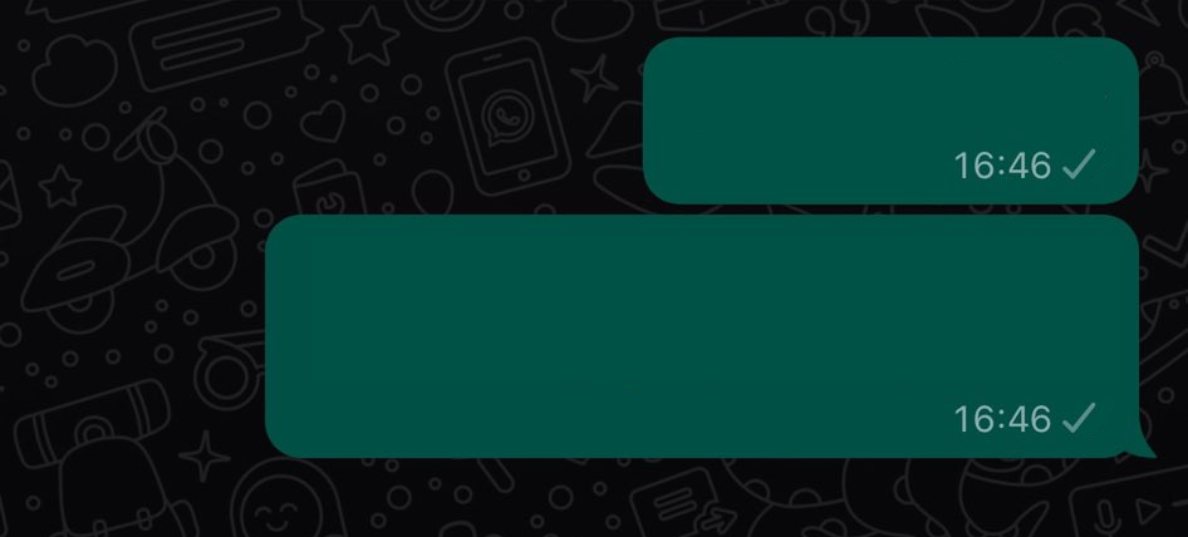
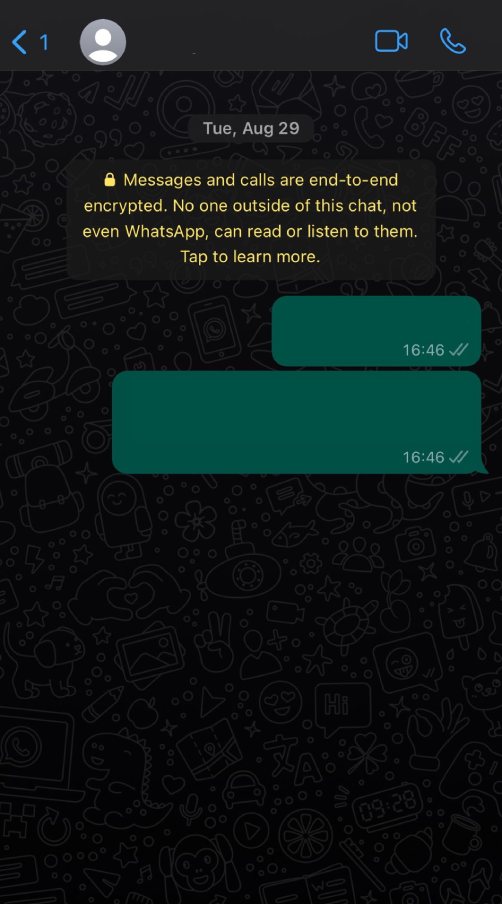
Otra forma de saber si alguien ha desinstalado WhatsApp es comprobar la entrega de sus mensajes. Si sus mensajes a esta persona se han enviado pero no se han entregado (indicado por una sola marca gris) durante un largo periodo de tiempo, podría significar que ya no utiliza WhatsApp.
Esto se debe a que si estuvieran usando WhatsApp o conectados a Internet pero no leyeran tus mensajes, verías dobles ticks grises (mensaje entregado pero no leído).
4. Desaparición de los grupos
Si tiene preguntas del tipo ‘¿Cómo puedo saber si alguien ha desinstalado WhatsApp?’, una de las formas de responderlas es comprobar sus grupos compartidos en WhatsApp. Si la persona formaba parte de grupos de WhatsApp, su nombre puede desaparecer de la lista de miembros del grupo si desinstala la aplicación. Esto puede ser triste para ellos también porque no verán ninguna de las mejores de su grupo Memes de WhatsApp más.
5. Sin respuesta
Si estaban chateando activamente contigo pero de repente dejan de responderte durante un largo periodo de tiempo, podría sugerir que han desinstalado WhatsApp. Sin embargo, esto también podría deberse a otras razones, como estar ocupado o haber desactivado las notificaciones. En este caso, probablemente sea buena idea llamar a tu amigo para ver si todo va bien con él.
6. Prueba WhatsApp Call
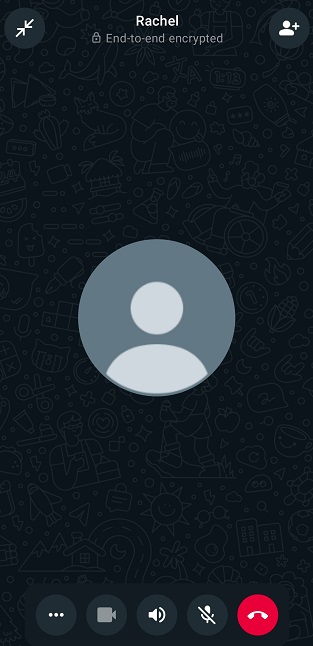
Si les llamas por WhatsApp y nunca suena o salta directamente el buzón de voz, podría indicar que no están usando WhatsApp. El motivo es que si estuvieran activos y conectados a Internet, oirías el timbre y el estado también indicaría que está sonando.
7. Compruebe si puede invitar al contacto
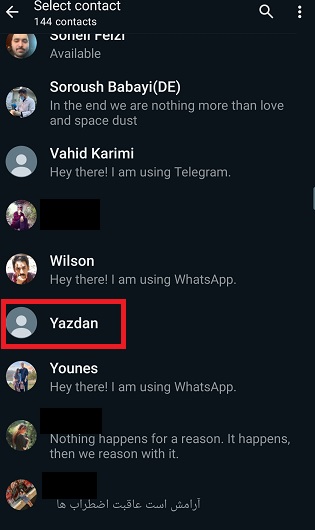
Como probablemente sepa, tenemos la capacidad de invitar a contactos que aún no utilizan WhatsApp. Esta función ayuda a responder cómo saber si alguien desinstalado suprimido theredar cuenta de WhatsApp de una manera conveniente. Asegúrese de tener su número de contacto en su dispositivo. Encuentre el contacto en WhatsApp. Tl contacto no tiene una cuenta de WhatsApp si la opción de invitación aparece antes del nombre del contacto.

Es importante tener en cuenta que estas señales no son una prueba definitiva de que alguien haya desinstalado WhatsApp. Puede haber varias razones por las que cambie la actividad de alguien en WhatsApp, y es posible que siga usando la app pero haya modificado su configuración o necesitan descansar de la interacción social un poco.
Respetar su intimidad es importante, así que evita hacer suposiciones o intentar contactar con ellos repetidamente si parecen inactivos.
Cómo saber si alguien ha borrado una cuenta de Whatsapp
En caso de que te estés preguntando cómo saber si alguien ha borrado WhatsApp, hay algunas señales que pueden sugerir que ha realizado esta acción:
- Desaparece el perfil: Su foto de perfil y su estado desaparecerán de tu lista de contactos de WhatsApp.
- Los mensajes aparecen como enviados, no entregados: Cuando envías un mensaje a alguien que ha eliminado su cuenta de WhatsApp, es posible que tus mensajes aparezcan como “Enviados” con una sola marca gris, pero no como “Entregados” con dos marcas grises.
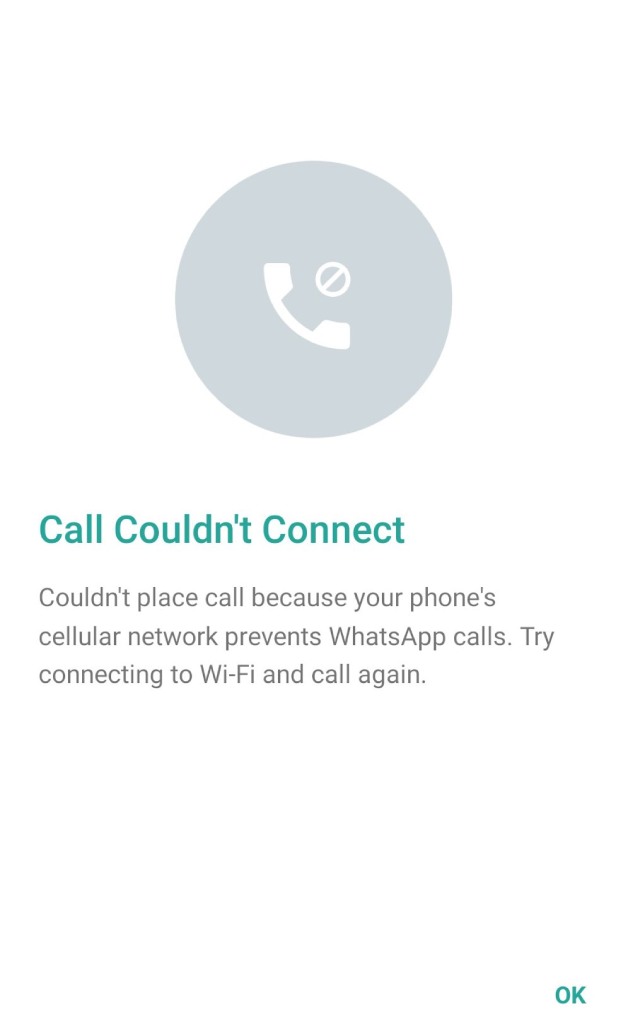
- Las llamadas no se conectan: Cuando intentes llamarles, es posible que la llamada no se realice o que salte inmediatamente el buzón de voz.
- Desaparece de los Grupos: Si la persona formaba parte de Grupos de WhatsApp, su nombre desaparecerá de la lista de miembros del grupo.
- No se puede ver su estado “Visto por última vez” o “En línea”: No podrás ver su estado “Visto por última vez” o “En línea” en tu chat con ellos.

- No Información de perfil: Su nombre, Acerca de y otra información de perfil estarán en blanco o no disponibles.
Sin embargo, es esencial tener en cuenta otros factores que podrían explicar estos signos, como problemas de red, cambios en Ajustes de privacidad de WhatsApp, o simplemente no utilizar WhatsApp activamente. La gente puede desactivar temporalmente o eliminar su cuenta de WhatsApp y reactivarlo más tarde, que también puede causar algunos de estos signos a fluctuar. De cualquier manera, Tratamos de proporcionar maneras para que usted pueda responder cómo saber si alguien eliminado su Instagram.
Preguntas frecuentes
Ahora vamos a responder a algunas preguntas frecuentes sobre cómo saber si alguien ha desinstalado WhatsApp:
1. En WhatsApp, ¿cómo saber si alguien me ha bloqueado, ha desinstalado la aplicación o ha eliminado su cuenta?
Bloqueado: No puedes ver su perfil, sus últimas visitas ni recibir mensajes. Las llamadas no se conectan.
Desinstalado: Los mensajes no llegarán, pero podrás ver su perfil.
Cuenta eliminada: Al igual que al desinstalar, el perfil desaparece y los mensajes no llegan.
Todas estas son respuestas a la pregunta ‘si borro WhatsApp qué pasa’ también y tus amigos y familiares pueden averiguarlo.
2. Si alguien desinstala WhatsApp, ¿seguirán llegando los mensajes?
No, los mensajes no se entregarán si alguien ha desinstalado WhatsApp.
3. Cómo comprobar si la cuenta de WhatsApp está activa?
No puedes comprobar directamente si una cuenta de WhatsApp está activa. Todo lo que puedes hacer es utilizar los métodos mencionados anteriormente para comprobar si han desinstalado su WhatsApp o no.
4. ¿Cómo sé que alguien ha desinstalado WhatsApp?
No puedes estar seguro de si alguien ha desinstalado WhatsApp; sin embargo, hay algunas señales, como que los mensajes no se envían o que la información de su perfil no se muestra, que te ayudarán a averiguar si alguien ha desinstalado WhatsApp o no.
5. ¿Qué ocurre cuando alguien desinstala WhatsApp?
Cuando alguien desinstala WhatsApp, los mensajes no se envían y la información del perfil desaparece.
6. ¿Pueden verme si desinstalo WhatsApp?
No, los demás no podrán verte en WhatsApp si lo desinstalas. Tu información, como las fotos de perfil y el estado, permanecerá oculta para todo el mundo mientras la aplicación siga desinstalada.
7. ¿Se entregará mi mensaje si desinstalo WhatsApp?
No. Los mensajes no se entregarán si desinstalas WhatsApp.
8. ¿Sabrán mis contactos si desinstalo WhatsApp?
No. Tus contactos no recibirán una notificación si desinstalas WhatsApp de tu dispositivo. Pero pueden averiguarlo por sí mismos utilizando métodos como los que hemos mencionado aquí.
Reflexiones finales
Esperamos haberte proporcionado suficiente información sobre cómo saber si alguien ha desinstalado WhatsApp. En conclusión, aunque WhatsApp no te notifica directamente cuando alguien desinstala la aplicación, hay señales sutiles a las que estar atento, como la desaparición de la información del perfil y los mensajes no entregados.
La privacidad y las elecciones personales desempeñan un papel importante en estas situaciones, por lo que es esencial respetar las decisiones de los demás. A medida que la tecnología sigue moldeando nuestra comunicación, comprender estos matices puede ayudarnos a navegar por el mundo digital con más elegancia. Mantenga la curiosidad, siga conectado y mantenga viva la conversación, tanto en línea como fuera de ella.
[elementor-template id="24702"]