
For social media creators, influencers, entrepreneurs, and businesses, a single link in your bio is a digital bottleneck. It’s a critical piece of real estate that, when limited to one destination, can stifle growth, monetization, and audience engagement. This universal challenge has given rise to an essential category of tools: the link-in-bio platform. Among these, Linktree has become a household name, synonymous with solving the “one link” problem. But is it the best solution for your specific needs in 2025, or are there alternatives that offer more power, flexibility, and value?
This comprehensive review dives deep into Linktree, examining its features, pricing, and real-world user experiences with a critical eye. We’ll move beyond surface-level analysis to uncover the platform’s true strengths and its often-cited pain points. More importantly, we will guide you through a curated selection of the top Linktree alternatives available today, helping you make an informed decision to choose the tool that truly amplifies your digital presence.
Linktree Review: A Deep Dive into the Market Leader
Linktree’s value proposition is elegantly simple: transform your single social media bio link into a curated landing page that houses your entire digital universe. From latest YouTube videos and podcast episodes to online stores, booking pages, and promotional campaigns, it all lives behind one memorable URL. This simplicity fueled its viral adoption. But as the market has matured, so have user expectations.
Core Features and Functionality
At its heart, Linktree provides a mobile-optimized, list-based page for your links. Its feature set is designed to be accessible, catering to both complete beginners and those with basic needs.
- Unlimited Links: A significant advantage, even on the free plan, allowing you to connect to all your content without restriction.
- Basic Analytics: Offers fundamental click-through rate (CTR) and view tracking, giving you a glimpse into what resonates with your audience.
- Content Integrations: Enables embedding of rich media (like YouTube thumbnails or Spotify playlists) to make links more engaging.
- E-commerce Connections: Allows linking to key platforms like Shopify, Etsy, or Amazon affiliate links, turning your page into a revenue gateway.
- List Management: A straightforward interface where you add, reorder, and manage links with a live mobile preview.
- Theming & Customization: Offers a selection of themes with options to customize colors, fonts, and button styles, though depth is limited on lower-tier plans.
Linktree Pricing Structure: Analyzing the Tiers
Linktree employs a tiered pricing model that scales features with cost. Understanding these tiers is crucial to determining if you receive adequate value.
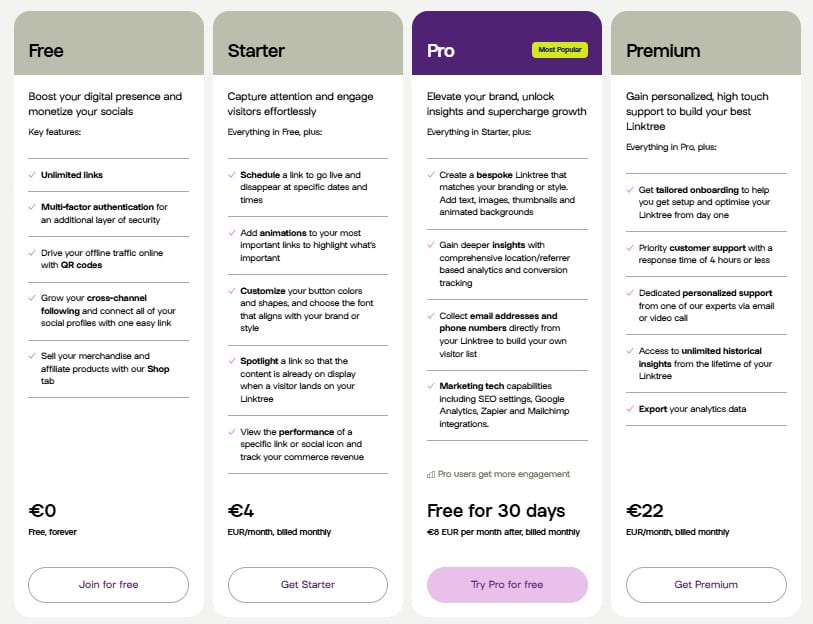
- Free Plan ($0/month): The entry point offers unlimited links and basic theming. However, it prominently displays the Linktree branding, provides only superficial analytics, and lacks advanced features like scheduling or integrations. It’s a functional proof-of-concept but not a professional long-term solution.
- Starter Plan (~$5/month): Introduces minor upgrades like additional themes, link scheduling (crucial for timed campaigns), and basic commerce revenue tracking. The Linktree branding remains, and customization is still limited.
- Pro Plan (~$9/month): This is where Linktree becomes more viable for serious creators. It unlocks advanced analytics (including geographic data), deeper e-commerce integrations, email collection features, and the critical ability to remove Linktree’s branding from your page.
- Premium Plan (~$24/month): Aimed at businesses and high-profile creators, this tier adds white-label options (using a custom domain), advanced CRM and UTM tracking integrations, and priority support.
The key takeaway is that to access features considered standard on some competing platforms—like branding removal and meaningful analytics—you must commit to at least the Pro plan.
Linktree Reviews: The Unfiltered User Perspective
While aggregate scores on some platforms are high, a deeper look at user reviews on sites like Trustpilot and Reddit reveals consistent themes of frustration that potential users should weigh carefully.
- Customer Support Challenges: A frequent complaint across all tiers is slow, unresponsive, or unhelpful customer support. For users facing technical or billing issues, this can be a significant point of failure.
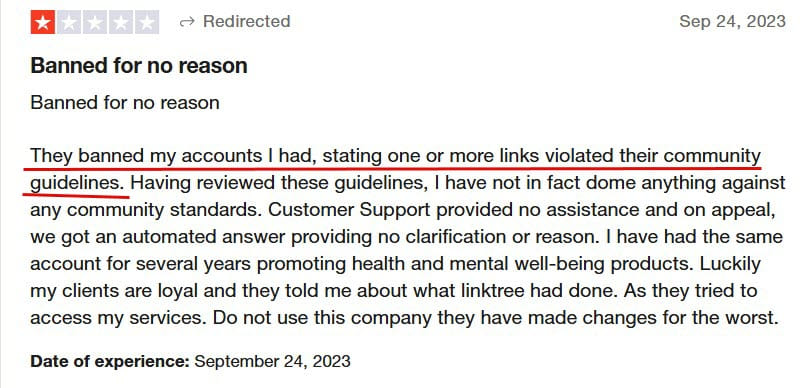
- Account Stability Concerns: Numerous reports detail accounts being banned or suspended with little warning or clear explanation, leaving creators suddenly without a vital link hub. This perceived lack of transparency erodes trust.
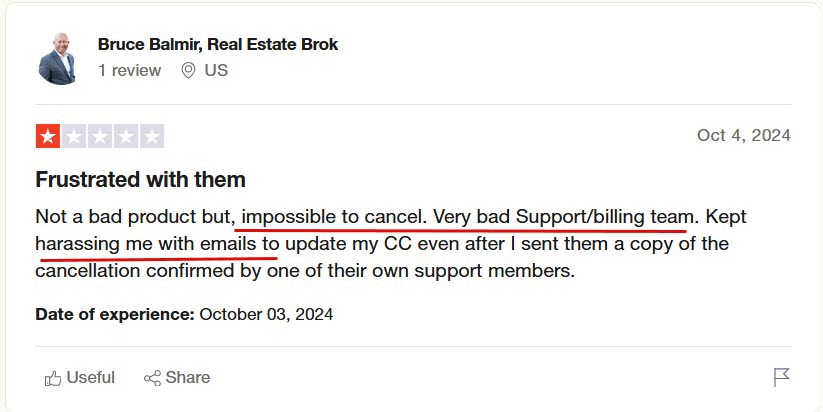
- Billing and Refund Practices: Users report difficulties with cancellation processes and refund requests, sometimes describing them as opaque or unfairly handled.
- Communication Overload: Some note an influx of promotional emails after signing up, which can feel spammy and detract from the user experience.
It’s important to balance this: millions use Linktree without issue, praising its simplicity and reliability. However, the volume of negative feedback on these specific points suggests a pattern that discerning users should consider, especially if their livelihood depends on the stability of their link-in-bio page.
Linktree Pros and Cons: The Final Verdict
Advantages of Using Linktree
- Instant Recognition and Ease of Use: Its name is a verb in many circles. The setup is incredibly intuitive, making it accessible to anyone.
- Generous Free Tier: Unlimited links on a free plan is a powerful user acquisition tool and perfect for casual use.
- Reliable Core Service: When it works, it works well. The pages load quickly and serve their primary function effectively.
- Wide Platform Acceptance: Its ubiquity means followers instantly understand how to use your Linktree page.
Significant Limitations of Linktree
- Constrained Design Freedom: Even on paid plans, you are largely confined to templates. For brands demanding a unique, on-brand experience, this can be a deal-breaker.
- Branding Costs Extra: The free and Starter plans force you to advertise for Linktree, which can appear unprofessional.
- Reported Support and Policy Issues: As explored, trust in customer service and account stability is a notable concern for a segment of users.
- Feature Parity Lag: Many competitors now offer more robust features (like full page builders, digital business cards, or deeper analytics) at similar or lower price points.
Top Linktree Alternatives for 2025: Elevating Your Bio Link
The growing demand for more sophisticated link-in-bio solutions has spurred impressive innovation. The best alternatives not only aggregate links but help you build a branded micro-website, capture leads, and analyze performance with greater depth. Here are the leading contenders.
1. brandID: The All-in-One Free Powerhouse
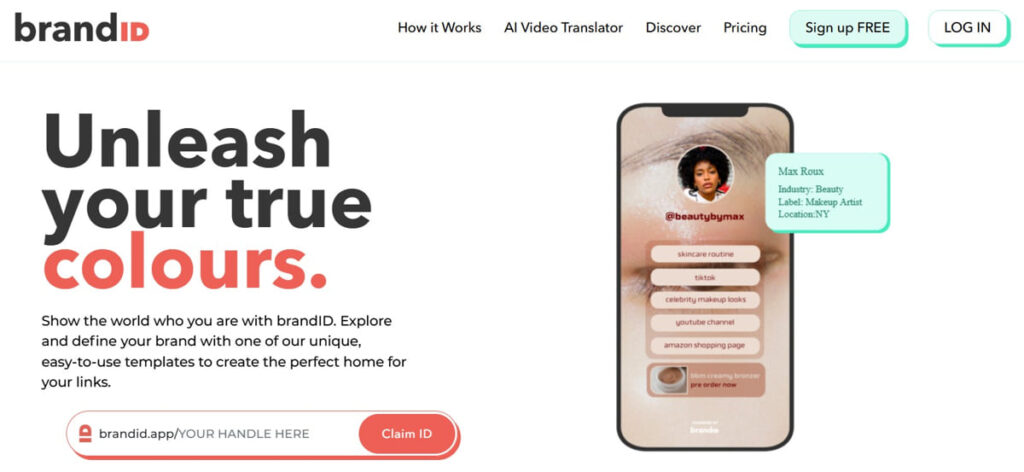
brandID emerges as a compelling, value-packed alternative that directly challenges Linktree’s model by offering premium features at no cost. It’s designed for creators and small businesses who want a professional presence without subscription fees.
Why It Stands Out
- Truly Free Core Features: Unlike Linktree’s branded free plan, brandID offers a drag-and-drop page builder, hundreds of templates, and analytics without forcing its logo onto your page.
- Dual-Purpose Functionality: It seamlessly integrates a link-in-bio page with a sleek digital business card, all manageable from one dashboard—perfect for networking and online presence.
- Superior Customization: Grants far greater control over layout, design elements, and branding than Linktree’s template system, allowing for a truly unique page.
- Built-in Monetization & Tools: Includes features for showcasing products, services, and subscriptions directly, along with contact forms and mailing list sign-ups from the start.
Ideal For
Budget-conscious creators, freelancers, startups, and anyone seeking a professional, branded alternative to Linktree’s free or Starter plans. It’s particularly powerful for those who also value offline networking via its digital business card feature.
2. Beacons.ai: The Creator-Centric Suite
Beacons.ai takes a holistic approach, positioning itself not just as a link hub but as an all-in-one creator business platform. It bundles a suite of tools designed to help influencers and content creators grow and monetize their audience.
Why It Stands Out
- Comprehensive Toolset: Beyond links, it includes a media kit builder, invoice generator, email marketing tools, and even a storefront creator—all integrated into one ecosystem.
- Advanced Analytics: Provides deep, actionable insights into audience demographics and link performance, surpassing Linktree’s analytics in detail.
- Smart Page Builder: Offers sophisticated customization with sections for different content types (videos, products, testimonials), creating a rich, magazine-like experience.
- Monetization Focus: Has built-in features for tips, affiliate marketing, and product sales, making revenue generation a central part of the platform.
Ideal For
Full-time content creators, influencers, and digital entrepreneurs who need more than just a link aggregator—they need a business toolkit to manage their brand, sales, and audience growth in a single dashboard.
3. Koji: The Interactive and Engaging Bio Link
Koji reimagines the link-in-bio as a platform for interactivity and micro-apps. It boasts a vast “Template Store” with thousands of free, customizable mini-apps that you can add to your page to engage your audience in unique ways.
Why It Stands Out
- Unmatched Interactivity: Add games, quizzes, countdowns, audio messages, wish lists, and service menus to your page. This transforms a static link list into an engaging experience.
- Massive Template Library: The constantly growing library of mini-apps means your page can evolve and offer new functionalities without technical know-how.
- Strong Monetization Options: Many templates are built for sales, tips, paid promotions, and services, facilitating direct creator-to-fan transactions.
- Full Customization & Free Custom Domain: Offers extensive design control and supports custom domains on its free plan, a feature Linktree reserves for its top Premium tier.
Ideal For
Creators who prioritize audience interaction, gamification, and standing out from the crowd. It’s perfect for musicians, artists, streamers, and anyone who wants their bio link to be a destination, not just a directory.
4. Shorby: The Link Management & Analytics Specialist
Shorby takes a more analytical and scalable approach, ideal for marketers, agencies, and businesses that run multiple campaigns and need granular data and robust link management.
Why It Stands Out
- Enterprise-Grade Analytics: Provides detailed tracking with UTM parameters, conversion goals, and ROI measurement, far exceeding the analytics in Linktree Pro.
- Smart Link Scheduling and A/B Testing: Allows you to schedule links to go live/expire and test different versions of your page or links to optimize performance.
- Team Collaboration: Supports multiple team members and roles, making it suitable for agencies or businesses managing a brand’s link-in-bio.
- Deep Integration Focus: Connects with a wide array of marketing, CRM, and e-commerce tools like Zapier, Mailchimp, and Google Analytics.
Ideal For
Marketing professionals, e-commerce brands, agencies, and anyone for whom data-driven decision-making and campaign management are critical. It’s for users who view their bio link as a performance marketing channel.
Choosing the Right Tool for Your Needs in 2025
The “best” platform is subjective and depends entirely on your goals, technical comfort, and budget. Use this quick decision framework:
- Choose Linktree if: You value absolute simplicity and name recognition, have very basic needs, or want to test the concept with its unlimited free links before committing financially.
- Choose brandID if: You want a powerful, fully-branded free alternative that also includes a digital business card, offering exceptional value without a subscription.
- Choose Beacons.ai if: You are a serious creator needing an integrated business suite (media kits, invoices, email) alongside a sophisticated link page.
- Choose Koji if: Your primary goal is to create a highly interactive, engaging, and unique experience for your audience through games, apps, and interactive content.
- Choose Shorby if: You are a marketer or business focused on campaign analytics, A/B testing, team management, and integrating your bio link into a broader marketing tech stack.
Conclusion: Beyond the Single Link
The link-in-bio landscape in 2025 has evolved far beyond simple link aggregation. While Linktree remains a viable and popular option, its limitations in design, cost for branding removal, and reported user experience issues have opened the door for powerful, specialized alternatives. The modern creator or business doesn’t just need a list; they need a micro-website, an engagement tool, a marketing dashboard, or a business platform.
By evaluating your specific needs—whether it’s cost-effectiveness (brandID), business tools (Beacons.ai), interactivity (Koji), or analytics (Shorby)—you can select a platform that doesn’t just solve the “one link” problem but actively propels your digital strategy forward. Invest time in exploring these alternatives; the right choice will become a central, powerful asset in your online toolkit for years to come.
✨ Enhanced Content ✨
One of the main problems social media content creators face is the “one link” limitation on their channels. This is why link-in-bio tools have become essential; they let you share a whole portfolio of links through a single URL. Linktree is one of the most well-known names in this industry. However, to decide if this tool is the best choice or not, a complete Linktree review can be helpful.
In this article, we will provide everything you need to know about this platform, including features, pricing, and real user feedback. At the end, we will introduce you to some of the top Linktree alternatives with better features.
Linktree Features
Linktree is one of the well-known names in the link-in-bio space, offering a simple landing page to house all your important links. Key features include
- Unlimited links (even on the free plan)
- Basic analytics to track clicks and views
- A range of content integrations.
- Embedding rich media like YouTube videos or Spotify music,
- Connecting to e-commerce (e.g., Shopify or Amazon Affiliate Program links),
- Adding contact forms or mailing list signups (on higher tiers).
The interface is beginner-friendly, and you get a list-based link manager with a preview of how your bio page looks on mobile. You can choose a theme and customize the color, add icons for social profiles, and personalize it.
Pricing
This platform offers four different plans to choose from based on your needs. Let’s check out Linktree pricing and the differences between these packages:
- Free Plan: $0 – Unlimited links, basic themes, and add all your social media icons.
- Starter: $5/month – Adds customizations like extra themes, link scheduling, and quicker support. You can view the performance of a specific link or social icon and track your commerce revenue
- Pro: $9/month: Unlocks advanced analytics, e-commerce integrations, email/CRM features, and the ability to remove Linktree’s branding.
- Premium: $24/month – For businesses, including white-label options (custom domain/branding), advanced integrations (CRM, UTM tracking), and priority support
Linktree Reviews (What Users Say)
To get an unbiased Linktree review, it’s important to look at real user feedback. While Linktree has millions of users, not all experiences are positive. In fact, on sites like Trustpilot and Reddit, there are numerous 1-star or negative reviews. Common negative points include:
- Customer Support Issues: Several users report that getting help is difficult.
- Account Bans and Strict Policies: Some creators had their Linktree accounts banned unexpectedly.
- Refund and Billing Complaints: There are reports of billing frustrations, like “Terrible experience with Linktree’s refund policy” or, according to this user, “It’s impossible to cancel the subscription”.
- Spammy Emails: Some users feel they get endless unwanted emails after signing up, which can be annoying if you’re just trying the service.
On the positive side, many users (and experts) praise Linktree for what it does well: it’s straightforward to set up and reliably does the job of putting multiple links in one place. It has a strong 4.6/5 rating on G2 (as of this writing), so the majority are satisfied.
However, some users do experience certain frustrations, which leads them to start looking for a Linktree alternative.
Linktree Pros & Cons
Now, let’s summarize the Linktree review with key pros and cons. This will highlight strengths and also reveal why some users switch to other Linktree alternatives.
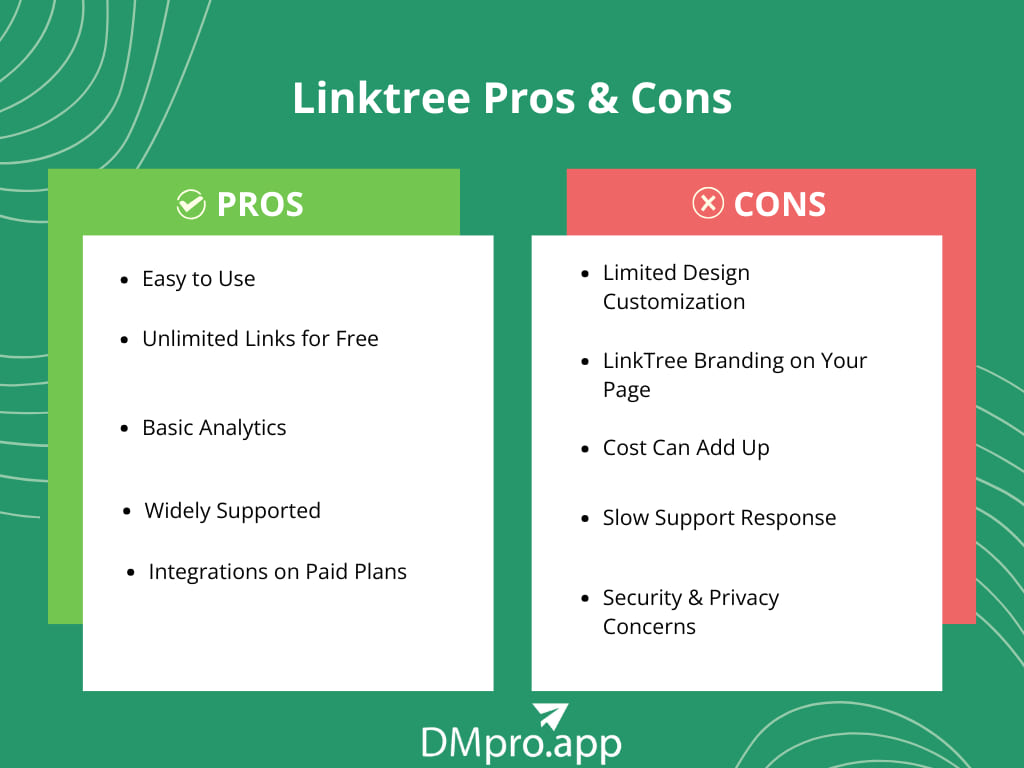
Pros
- Easy to Use
- Unlimited Links for Free
- Basic Analytics
- Widely Supported
- Integrations on Paid Plans
Cons
- Limited Design Customization
- Linktree logo will remain on your page
- Slow Support Response
- Security & Privacy Concerns
Best Linktree Alternatives
Now that you know everything about Linktree and its limitations, let’s check some of the top alternatives. All these Linktree alternatives are safe and available in the market.
1. brandID – The All-in-One Free Solution
BrandID is our top pick because it directly addresses many of Linktree’s limitations. It’s a relatively new platform that has quickly gained attention as a Linktree alternative offering premium capabilities without the price tag.
Features
- Page Builder: brandID provides a drag-and-drop link-in-bio page builder with hundreds of designer-made templates.
- Monetization Tools – You can showcase products, services, or subscription offerings and accept payments/tips directly through your page.
- AI-driven tools: brandID provides an AI Video Translator, letting you offer your content in multiple languages to reach a global audience.
- SEO optimization: Essentially, this platform combines the functions of a mini-website, storefront, and social hub in one to help your page get discovered.
- Pricing: 100% free: There is currently no paid tier; brandID offers its full feature set for free
Why Choose brandID Over Linktree?
If you found Linktree too limiting or expensive, brandID is a great choice for you. It’s best for users who want a truly customized link page with advanced features (analytics, mailing list, sales, etc.) but don’t want to pay monthly fees.
For anyone on a budget, BrandID’s value is unbeatable: it’s a free Linktree alternative that gives you pro-level customization and functionality from the start.
2. Beacons – Best For Monetization And Analytics
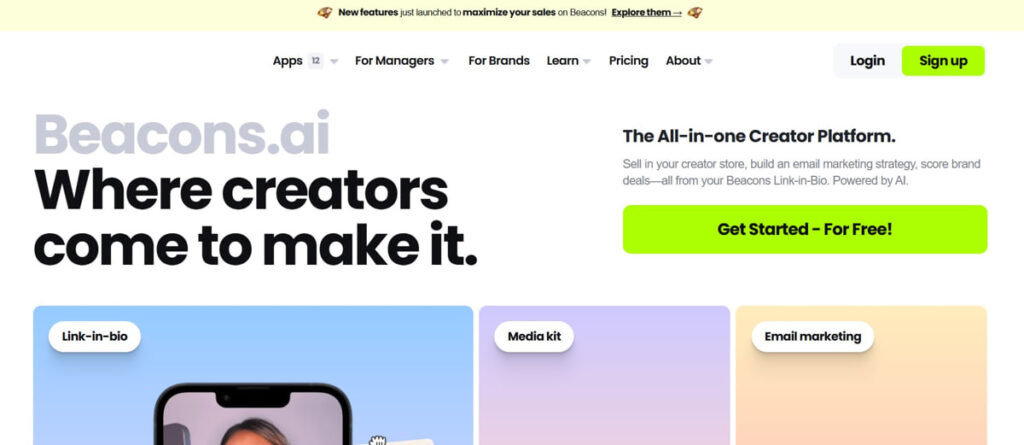
Beacons is a popular alternative to Linktree, recognized for its comprehensive features. It particularly attracts creators aiming to monetize their audience while obtaining deeper analytics. Beacons provides both a free tier and paid plans.
Features
- Customization Tools: Beacons allow you to build a link-in-bio page with a good degree of customization (including video backgrounds and custom fonts on paid plans).
- Payment tools: One of its standout features is the ability to collect payments and tips directly on your Beacons page
- Integration tools: It also has integrations for embedding YouTube videos, TikTok feeds, music, and more.
- Analytics: It provides detailed analytics about your visitors and even post-click behavior. It’s essentially part link hub, part mini-website builder.
Comparison to LinkTree
Beacons vs LinkTree often comes down to money-making features. Beacons allow you to earn money directly from your bio page (LinkTree typically just redirects to other sites for sales).
3. Taplink – Best for Customization and Multi-Function Pages
Taplink is a feature-rich tool that often bills itself as a more versatile LinkTree alternative. It’s like a mini landing page builder, packing a lot of functions into your bio link page.
Features
- Design Flexibility: You can design your page in a block layout (not just a simple vertical list) – for instance, arrange text, images, and buttons in different sections.
- Supporting Different Formats: It supports contact forms, messengers (you can add WhatsApp or Telegram chat buttons), and even scheduling forms. It also supports video backgrounds and custom fonts for a personalized touch.
Why Taplink
While LinkTree keeps things straightforward, Taplink lets you build a mini-web page – you could even use it as a quick one-page website if you don’t have one. This does make Taplink a bit more involved to set up than Linktree (more options to tinker with), but for those who enjoy customization, it’s worth it.
4. Milkshake – Best Mobile-Friendly Micro Websites
Milkshake takes a slightly different approach. It’s actually a mobile app (available on iOS/Android) that lets you create a stylish link-in-bio page right from your phone.
Features
- Lots of Styles And Templates: Using the app, you choose from various card-style templates and create “pages” for different content.
- Eye-Catching Formats: On this app, formats are more engaging and highly visual, which sets Milkshake apart from the simple vertical list of Linktree. You can customize the look with different fonts, colors, and images easily.
Comparison
If you’re a fashion blogger, photographer, or anyone who benefits from a visual showcase, Milkshake can make your bio link more attractive. It’s mobile-first, meaning you design on your phone with a few taps. The downside is that if you need things like detailed analytics or multiple integrations, Milkshake isn’t there (Linktree or others would win on functionality).
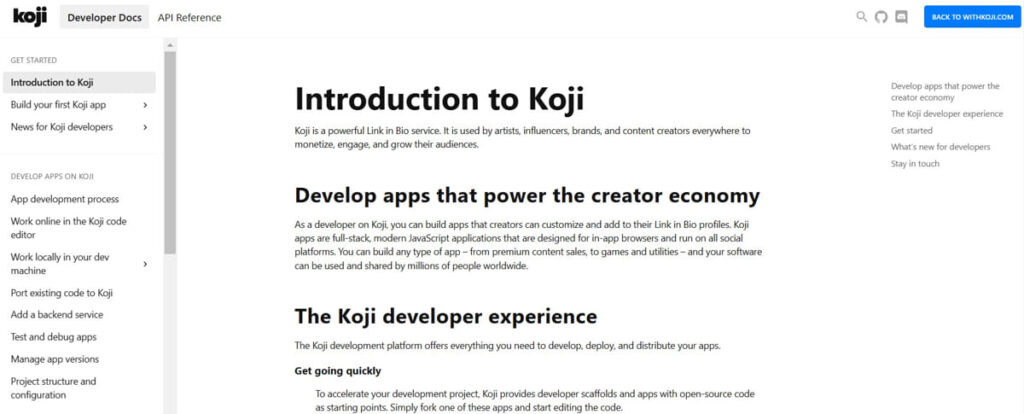
5. Koji – Best for Interactive Apps and Earnings
Koji has emerged as a powerful Linktree alternative, especially favored by TikTok creators and influencers who want to pack more into their bio link. This tool isn’t just a link page – it’s a platform for mini-apps that live on your link page.
Features
- Library of Add-on Apps: These include things like: Tip Jar (for donations with 0% commission), Q&A or AMA modules, quizzes, storefronts for digital products, locked content (pay or sign up with email to access), and much more.
- Customization: Koji allows 4K background images, custom buttons, and a variety of themes.
Why Use Koji
If your goal is to engage your audience or monetize in creative ways, Koji is a fantastic alternative. It offers complete customization without any paywalls for themes or analytics. Plus, it includes a whole app store of extensions right in your bio.
Essentially, if you want your “link in bio” to serve a greater purpose than just directing people elsewhere, Koji can transform it into a mini-web app that enhances your personal brand.
Linktree Review: Conclusion
In this Linktree review, we saw that it offers essential features but also comes with limitations in design and advanced functionality. That’s why many users are searching for alternatives with better features.
Each of these alternatives, BrandID, Beacons, Taplink, Milkshake, and Koji, caters to slightly different needs. All of them can be considered Linktree alternatives that outperform Linktree in various areas.
FAQs
On most social media platforms, you can only have one clickable link in your bio. So, if you want to share multiple links to your website, campaign page, and other social channels, you will face this limitation. A link-in-bio tool is a service that creates a single landing page where you can list multiple links and buttons, customize them, and then share the URL in your bio.
Yes, link-in-bio tools are generally safe and widely allowed. Millions of people, including known brands and celebrities, use these tools.
Choosing the right link in the bio tool depends on your needs. Here is how each tool can help you:
brandID: If you are looking for a free tool with maximum customization and features, this tool is perfect for you.
Beacons: Excellent for monetization and analytics.
Taplink: Good for business users who want forms or more structure.